Author: Alexander Dite

  • Redirect disabled product pages instead of 404 page in Magento 2

    Redirect disabled product pages instead of 404 page in Magento 2

    In this blog post I’ll show how to implement a Magento 2 Extension which allows to redirect from disabled product url to

    • a custom url
    • assigned category of a highest level as next fallback if no custom url is entered on product level (custom attribute)
    • home page as last fallback if no categories found

    instead of showing a 404 Not Found page.

    We will call the extension N98_DisabledProductRedirect

    Extension Code

    Basic files

    registration.php

    <?php
    
    use Magento\Framework\Component\ComponentRegistrar;
    
    ComponentRegistrar::register(
        ComponentRegistrar::MODULE,
        'N98_DisabledProductRedirect',
        __DIR__
    );

    etc/module.xml

    <?xml version="1.0"?>
    <config xmlns:xsi="http://www.w3.org/2001/XMLSchema-instance" xsi:noNamespaceSchemaLocation="urn:magento:framework:Module/etc/module.xsd">
        <module name="N98_DisabledProductRedirect" setup_version="1.0.0">
            <sequence>
                <module name="Magento_Catalog"/>
            </sequence>
        </module>
    </config>
    

    Plugin on Product View frontend Controller

    etc/frontend/di.xml

    <?xml version="1.0"?>
    <config xmlns:xsi="http://www.w3.org/2001/XMLSchema-instance" xsi:noNamespaceSchemaLocation="urn:magento:framework/ObjectManager/etc/config.xsd">
        <type name="Magento\Catalog\Controller\Product\View">
            <plugin name="disabled_product_redirect_plugin" type="N98\DisabledProductRedirect\Plugin\ProductRedirectPlugin" />
        </type>
    </config>
    

    Plugin/ProductRedirectPlugin.php

    <?php
    declare(strict_types=1);
    
    namespace N98\DisabledProductRedirect\Plugin;
    
    use Magento\Catalog\Api\ProductRepositoryInterface;
    use Magento\Catalog\Model\Product;
    use Magento\Framework\Controller\Result\RedirectFactory;
    use Magento\Framework\Exception\NoSuchEntityException;
    use N98\DisabledProductRedirect\Service\GetRedirectUrlForDisabledProductService;
    
    class ProductRedirectPlugin
    {
        /**
         * @var ProductRepositoryInterface
         */
        private ProductRepositoryInterface $productRepository;
    
        /**
         * @var RedirectFactory
         */
        private RedirectFactory $redirectFactory;
    
        /**
         * @var GetRedirectUrlForDisabledProductService
         */
        private GetRedirectUrlForDisabledProductService $getRedirectUrlForDisabledProductService;
    
        /**
         * ProductRedirectPlugin constructor.
         *
         * @param ProductRepositoryInterface $productRepository
         * @param RedirectFactory $redirectFactory
         * @param GetRedirectUrlForDisabledProductService $getRedirectUrlForDisabledProductService
         */
        public function __construct(
            ProductRepositoryInterface $productRepository,
            RedirectFactory $redirectFactory,
            GetRedirectUrlForDisabledProductService $getRedirectUrlForDisabledProductService
        ) {
            $this->productRepository = $productRepository;
            $this->redirectFactory = $redirectFactory;
            $this->getRedirectUrlForDisabledProductService = $getRedirectUrlForDisabledProductService;
        }
    
        /**
         * Main plugin method.
         *
         * @param \Magento\Catalog\Controller\Product\View $subject
         * @param callable $proceed
         * @return \Magento\Framework\Controller\Result\Redirect
         * @throws \Magento\Framework\Exception\LocalizedException
         */
        public function aroundExecute($subject, callable $proceed)
        {
            $productId = $subject->getRequest()->getParam('id');
    
            try {
                $product = $this->productRepository->getById($productId);
                if ((int)$product->getStatus() === Product\Attribute\Source\Status::STATUS_DISABLED) {
                    $redirectUrl = $this->getRedirectUrlForDisabledProductService->execute($product);
    
                    $resultRedirect = $this->redirectFactory->create();
                    $resultRedirect->setUrl($redirectUrl);
                    $resultRedirect->setHttpResponseCode(302);
                    return $resultRedirect;
                }
            } catch (NoSuchEntityException $e) {
                return $proceed();
            }
    
            return $proceed();
        }
    }
    

    Service “Get Redirect URL for disabled product”

    Service/GetRedirectUrlForDisabledProductService.php

    <?php
    declare(strict_types=1);
    
    namespace N98\DisabledProductRedirect\Service;
    
    use Magento\Catalog\Api\Data\ProductInterface;
    use Magento\Store\Model\StoreManagerInterface;
    
    class GetRedirectUrlForDisabledProductService
    {
        /**
         * GetRedirectUrlForDisabledProductService constructor.
         *
         * @param StoreManagerInterface $storeManager
         */
        public function __construct(private readonly StoreManagerInterface $storeManager)
        {
        }
    
        /**
         * Get redirect URL for a disabled product
         *
         * @param ProductInterface $product
         * @return string
         * @throws \Magento\Framework\Exception\LocalizedException
         * @throws \Magento\Framework\Exception\NoSuchEntityException
         */
        public function execute(ProductInterface $product): string
        {
            // Check for a defined-per-product URL attribute
            $customRedirectUrl = $product->getData('redirect_url_if_disabled');
            if ($customRedirectUrl) {
                return $customRedirectUrl;
            }
    
            // Fallback to the highest-level category URL
            /** @var \Magento\Catalog\Model\ResourceModel\Category\Collection $categoryCollection */
            $categoryCollection = $product->getCategoryCollection();
            $categoryCollection->addAttributeToSelect('url_key')->load();
    
            $highestLevelCategory = null;
            foreach ($categoryCollection as $category) {
                if (!$highestLevelCategory || $category->getLevel() < $highestLevelCategory->getLevel()) {
                    $highestLevelCategory = $category;
                }
            }
    
            if ($highestLevelCategory) {
                /** @var \Magento\Catalog\Model\Category $highestLevelCategory */
                return $highestLevelCategory->getUrl();
            }
    
            // Default fallback URL (home page)
            return $this->storeManager->getStore()->getBaseUrl();
        }
    }
    

    Data Patch to create attribute “redirect_url_if_disabled”

    Setup/Patch/Data/AddRedirectUrlProductAttribute.php

    <?php
    declare(strict_types=1);
    
    namespace N98\DisabledProductRedirect\Setup\Patch\Data;
    
    use Magento\Catalog\Model\Product;
    use Magento\Eav\Setup\EavSetup;
    use Magento\Eav\Setup\EavSetupFactory;
    use Magento\Framework\Setup\ModuleDataSetupInterface;
    use Magento\Framework\Setup\Patch\DataPatchInterface;
    
    class AddRedirectUrlProductAttribute implements DataPatchInterface
    {
        /**
         * AddRedirectUrlProductAttribute constructor.
         *
         * @param EavSetupFactory $eavSetupFactory
         * @param ModuleDataSetupInterface $moduleDataSetup
         */
        public function __construct(
            private readonly EavSetupFactory          $eavSetupFactory,
            private readonly ModuleDataSetupInterface $moduleDataSetup
        ) {
        }
    
        /**
         * Add attribute "redirect_url_if_disabled" to products and assign to default attribute set
         *
         * @return void
         * @throws \Magento\Framework\Exception\LocalizedException
         * @throws \Magento\Framework\Validator\ValidateException
         */
        public function apply()
        {
            /** @var EavSetup $eavSetup */
            $eavSetup = $this->eavSetupFactory->create(['setup' => $this->moduleDataSetup]);
    
            $eavSetup->addAttribute(Product::ENTITY, 'redirect_url_if_disabled', [
                'type'       => 'text',
                'label'      => 'Redirect URL (if product is disabled)',
                'input'      => 'textarea',
                'required'   => false,
                'sort_order' => 100,
                'global'     => \Magento\Eav\Model\Entity\Attribute\ScopedAttributeInterface::SCOPE_STORE,
                'group'      => 'General',
            ]);
    
            $attributeSetId = $eavSetup->getDefaultAttributeSetId(Product::ENTITY);
            $attributeGroupId = $eavSetup->getAttributeGroupId(Product::ENTITY, $attributeSetId, 'General');
            $eavSetup->addAttributeToGroup(
                Product::ENTITY,
                $attributeSetId,
                $attributeGroupId,
                'redirect_url_if_disabled',
                100
            );
        }
    
        /**
         * @inheritDoc
         */
        public static function getDependencies()
        {
            return [];
        }
    
        /**
         * @inheritDoc
         */
        public function getAliases()
        {
            return [];
        }
    }
    

    Conclusion

    As you could see in the code, the module is pretty simple. For redirect code we used 302 but also 301 can be used or you can make it configurable via Store Configuration.

    Feel free to leave a comment.

    P.S. In your comment you can answer a quiz question: was the blog post featured image AI generated or created manually? 😊

  • AJAX loading of related products in Magento 2

    AJAX loading of related products in Magento 2

    Introduction

    In some projects the amount of related products can be significant. In my case there were more than 300 related products and upsell products on some product detail pages. The consequence of this was a high time to first byte on product detail pages. In the mentioned project it was about 15 seconds for some of the products. So we searched for a possible optimization. We finally decided to implement asynchronous loading of product recommendations via AJAX. At the end we had a significant performance improvement and better user experience.

    In the following I will describe how to implement the solution on the example of related products on product detail pages. With some modifications this can also be used for upsell products on PDP, or even for crosssells in the Checkout Cart.

    In the following we use a sample extension called N98_AjaxProductRecommendations.

    The principle of the implementation

    First what needs to be done is remove the rendering of the related product block on product detail page. After that we replace the removed block with a custom placeholder block with own placeholder template. The template contains a placeholder <div> element and an initialization of a custom JS file. On document ready event an AJAX request is triggered to get the content of related products list and to put the content into the mentioned placeholder <div>. For the AJAX request we need a custom controller class and an abstract layout file. In the placeholder template we also build a check whether the product has related products and only if so, initialize the JS. This avoids unneeded requests for pages where there are no related products linked.

    Initialize module N98_AjaxProductRecommendations

    etc/module.xml :

    <?xml version="1.0"?>
    <!--
    /**
     * @copyright Copyright (c) netz98 GmbH (https://www.netz98.de)
     */
    -->
    <config xmlns:xsi="http://www.w3.org/2001/XMLSchema-instance" xsi:noNamespaceSchemaLocation="urn:magento:framework:Module/etc/module.xsd">
        <module name="N98_AjaxProductRecommendations">
            <sequence>
                <module name="Magento_Catalog" />
                <module name="Magento_TargetRule" />
            </sequence>
        </module>
    </config>
    

    composer.json :

    {
        "name": "n98/ext.magento2.n98.ajax-product-recommendations",
        "description": "Switch to AJAX loading of product recommendations.",
        "type": "magento2-module",
        "license": [
            "proprietary"
        ],
        "authors": [
            {
                "name": "netz98 GmbH",
                "email": "magento@netz98.de"
            }
        ],
        "autoload": {
            "files": [
                "registration.php"
            ],
            "psr-4": {
                "N98\\AjaxProductRecommendations\\": ""
            }
        }
    }
    

    registration.php :

    <?php
    /**
     * @copyright Copyright (c) netz98 GmbH (https://www.netz98.de)
     */
    
    \Magento\Framework\Component\ComponentRegistrar::register(
        \Magento\Framework\Component\ComponentRegistrar::MODULE,
        'N98_AjaxProductRecommendations',
        __DIR__
    );
    

    Route definition and controller

    etc/frontend/routes.xml :

    <config xmlns:xsi="http://www.w3.org/2001/XMLSchema-instance" xsi:noNamespaceSchemaLocation="urn:magento:framework:App/etc/routes.xsd">
        <router id="standard">
            <route id="n98_ajaxproductrecommendations" frontName="n98_ajaxproductrecommendations">
                <module name="N98_AjaxProductRecommendations" />
            </route>
        </router>
    </config>

    Controller/Ajax/RenderRelated.php :

    <?php
    /**
     * @copyright Copyright (c) netz98 GmbH (https://www.netz98.de)
     *
     * @see PROJECT_LICENSE.txt
     */
    
    namespace N98\AjaxProductRecommendations\Controller\Ajax;
    
    use Magento\Catalog\Api\ProductRepositoryInterface;
    use Magento\Framework\App\Action\Action;
    use Magento\Framework\App\Action\Context;
    use Magento\Framework\App\ResponseInterface;
    use Magento\Framework\Controller\Result\Json;
    use Magento\Framework\Controller\Result\JsonFactory;
    use Magento\Framework\Registry;
    
    /**
     * Class RenderRelated
     *
     * @package N98\AjaxProductRecommendations\Controller\Ajax
     */
    class RenderRelated extends Action
    {
        const BLOCK_NAME_PRODUCT_RELATED_PRODUCTS = 'catalog.product.related';
        /**
         * @var JsonFactory
         */
        private $jsonFactory;
        /**
         * @var ProductRepositoryInterface
         */
        private $productRepository;
        /**
         * @var Registry
         */
        private $coreRegistry;
    
        /**
         * Render constructor.
         * @param Context $context
         * @param JsonFactory $jsonFactory
         * @param ProductRepositoryInterface $productRepository
         * @param Registry $coreRegistry
         */
        public function __construct(
            Context $context,
            JsonFactory $jsonFactory,
            ProductRepositoryInterface $productRepository,
            Registry $coreRegistry
        ) {
            parent::__construct($context);
            $this->jsonFactory = $jsonFactory;
            $this->productRepository = $productRepository;
            $this->coreRegistry = $coreRegistry;
        }
    
        /**
         * Execute action based on request and return result
         *
         * Note: Request will be added as operation argument in future
         *
         * @return \Magento\Framework\Controller\ResultInterface|ResponseInterface
         * @throws \Magento\Framework\Exception\NotFoundException
         */
        public function execute()
        {
            if (!$this->getRequest()->isAjax()) {
                $this->_forward('noroute');
                return;
            }
    
            $result = $this->jsonFactory->create();
    
            $productId = $this->getRequest()->getParam('product_id');
    
            if (!$productId) {
                return $this->setErrorResult(
                    $result,
                    __('Product recommendations could not be loaded.')
                );
            }
    
            try {
                $product = $this->productRepository->getById($productId);
                /*
                 * set current product in registry for this
                 * 2 keys in order it to be used in rendered blocks
                 */
                $this->coreRegistry->register('product', $product);
                $this->coreRegistry->register('current_product', $product);
    
                $this->_view->loadLayout(
                    ['default', 'n98_ajaxproductrecommendations_content_abstract'],
                    true,
                    true,
                    false
                );
                $layout = $this->_view->getLayout();
                $block = $layout->getBlock(self::BLOCK_NAME_PRODUCT_RELATED_PRODUCTS);
                if (!$block) {
                    return $this->setErrorResult(
                        $result,
                        __('Product recommendations could not be loaded.')
                    );
                }
                $output = $block->toHtml();
                $result->setData(
                    [
                        'output' => $output,
                        'success' => true
                    ]
                );
                return $result;
            } catch (\Exception $e) {
                return $this->setErrorResult(
                    $result,
                    __('Product recommendations could not be loaded.')
                );
            }
        }
    
        /**
         * Set error result
         *
         * @param Json $result
         * @param string $errorMessage
         * @return Json
         */
        private function setErrorResult(Json $result, $errorMessage)
        {
            $result->setData(
                [
                    'output' => $errorMessage,
                    'success' => false
                ]
            );
    
            return $result;
        }
    }
    

    Frontend Block, Layouts, Template, ViewModel and JS file

    Block/Placeholder/Related.php :

    <?php
    /**
     * @copyright Copyright (c) netz98 GmbH (https://www.netz98.de)
     *
     * @see PROJECT_LICENSE.txt
     */
    
    namespace N98\AjaxProductRecommendations\Block\Placeholder;
    
    use Magento\Catalog\Block\Product\View as CatalogProductView;
    
    /**
     * Class Related
     *
     * @package N98\AjaxProductRecommendations\Block\Placeholder
     */
    class Related extends CatalogProductView
    {
        /**
         * @return string
         */
        public function getAjaxUrl()
        {
            // return relative url, base urls will be prefixed in js
            return 'n98_ajaxproductrecommendations/ajax/renderRelated';
        }
    }
    

    view/frontend/layout/catalog_product_view.xml :

    <?xml version="1.0"?>
    <!--
    /**
     * @copyright Copyright (c) netz98 GmbH (https://www.netz98.de)
     *
     * @see PROJECT_LICENSE.txt
     */
    -->
    <page layout="1column" xmlns:xsi="http://www.w3.org/2001/XMLSchema-instance"
          xsi:noNamespaceSchemaLocation="urn:magento:framework:View/Layout/etc/page_configuration.xsd">
        <body>
            <referenceContainer name="content.aside">
                <block class="N98\AjaxProductRecommendations\Block\Placeholder\Related"
                       name="catalog.product.related.placeholder" as="related-products-placeholder"
                       template="N98_AjaxProductRecommendations::placeholder/related.phtml"
                       before="product.info.upsell">
                    <arguments>
                        <argument name="view_model" xsi:type="object">N98\AjaxProductRecommendations\ViewModel\RelatedViewModel</argument>
                    </arguments>
                </block>
            </referenceContainer>
            <!-- Remove related blocks as they are now loaded via AJAX -->
            <referenceBlock name="related_products_impression" remove="true"/>
            <referenceBlock name="catalog.product.related" remove="true"/>
        </body>
    </page>
    

    view/frontend/layout/n98_ajaxproductrecommendations_content_abstract.xml :

    <?xml version="1.0"?>
    <!--
    /**
     * @copyright Copyright (c) netz98 GmbH (https://www.netz98.de)
     *
     * @see PROJECT_LICENSE.txt
     */
    -->
    <layout xmlns:xsi="http://www.w3.org/2001/XMLSchema-instance" xsi:noNamespaceSchemaLocation="urn:magento:framework:View/Layout/etc/layout_generic.xsd">
        <block class="Magento\TargetRule\Block\Catalog\Product\ProductList\Related" name="catalog.product.related" template="Magento_Catalog::product/list/items.phtml">
            <arguments>
                <argument name="type" xsi:type="string">related-rule</argument>
                <argument name="view_model" xsi:type="object">Magento\Catalog\ViewModel\Product\Listing\PreparePostData</argument>
            </arguments>
            <block class="Magento\Catalog\Block\Product\ProductList\Item\Container" name="related.product.addto" as="addto">
                <block class="Magento\Wishlist\Block\Catalog\Product\ProductList\Item\AddTo\Wishlist"
                       name="related.product.addto.wishlist" as="wishlist" before="compare"
                       template="Magento_Wishlist::catalog/product/list/addto/wishlist.phtml"/>
                <block class="Magento\Catalog\Block\Product\ProductList\Item\AddTo\Compare"
                       name="related.product.addto.compare" as="compare"
                       template="Magento_Catalog::product/list/addto/compare.phtml"/>
            </block>
        </block>
    </layout>
    

    view/frontend/templates/placeholder/related.phtml :

    <?php
    /**
     * @copyright Copyright (c) netz98 GmbH (https://www.netz98.de)
     *
     * @see       PROJECT_LICENSE.txt
     */
    /** @var $block \N98\AjaxProductRecommendations\Block\Placeholder\Related */
    /** @var \N98\AjaxProductRecommendations\ViewModel\RelatedViewModel $viewModel */
    $viewModel = $block->getData('view_model');
    $product = $block->getProduct();
    ?>
    <?php if ($viewModel->productHasRelatedProducts($product)): ?>
        <?php
        $htmlPlaceholderId = 'product-recommendation-detailpage-related-placeholder';
        ?>
        <div id="<?php echo $htmlPlaceholderId; ?>"></div>
        <?php
        $ajaxUrl = $block->getAjaxUrl();
        $loaderImage = $block->escapeUrl($block->getViewFileUrl('images/loader-1.gif'));
        ?>
        <script type="text/x-magento-init">
        {
            "*": {
                "N98_AjaxProductRecommendations/js/related-products-loader": {
                    "ajaxUrl": "<?php echo $ajaxUrl; ?>",
                    "productId": "<?php echo $product->getId(); ?>",
                    "htmlPlaceholderId": "<?php echo $htmlPlaceholderId; ?>",
                    "loaderImage": "<?php echo $loaderImage; ?>"
                }
            }
        }
    
        </script>
    <?php endif; ?>
    

    view/frontend/web/js/related-products-loader.js :

    define([
        "jquery",
        "loader"
    ], function ($) {
        "use strict";
    
        function renderRelatedProducts(config) {
            var ajaxUrl = BASE_URL + config.ajaxUrl;
            var productId = config.productId;
            var elementId = config.htmlPlaceholderId;
            var loaderImageUrl = config.loaderImage;
    
            $(document).ready(function () {
                $.ajax({
                    context: '#' + elementId,
                    url: ajaxUrl,
                    type: 'POST',
                    data: {product_id: productId},
                    dataType: 'json',
                    beforeSend: function() {
                        $('#' + elementId).loader({icon: loaderImageUrl});
                        $('#' + elementId).trigger('processStart');
                    },
                    success: function(data) {
                        var element = $('#' + elementId);
                        if (data.success === true) {
                            element.html(data.output).trigger('contentUpdated');
                            $('form[data-role="tocart-form"]').catalogAddToCart();
                        } else {
                            element.html('<p><strong>' + data.output + '</strong></p>'); // display error message
                        }
                        return data.success;
                    },
                    complete: function() {
                        $('#' + elementId).trigger('processStop');
                    },
                    error: function() {
                        $('#' + elementId).trigger('processStop');
                    }
                });
            });
        }
    
        return renderRelatedProducts;
    });
    

    ViewModel/RelatedViewModel.php :

    <?php
    /**
     * @copyright Copyright (c) netz98 GmbH (https://www.netz98.de)
     *
     * @see       PROJECT_LICENSE.txt
     */
    
    namespace N98\AjaxProductRecommendations\ViewModel;
    
    use Magento\Catalog\Api\Data\ProductInterface;
    use Magento\Catalog\Model\Product;
    use Magento\Framework\View\Element\Block\ArgumentInterface;
    
    /**
     * Class RelatedViewModel
     *
     * @package N98\AjaxProductRecommendations\ViewModel
     */
    class RelatedViewModel implements ArgumentInterface
    {
        /**
         * Product has related products check
         *
         * @param ProductInterface $product
         *
         * @return bool
         */
        public function productHasRelatedProducts(ProductInterface $product)
        {
            /** @var Product $product */
            $relatedCollection = $product->getRelatedLinkCollection();
    
            // use getSize() methods in order not to load collection but just trigger count sql
            if ($relatedCollection->getSize() > 0) {
                return true;
            }
    
            return false;
        }
    }
    

    Summing up

    The presented code was tested with Magento Commerce 2.3.5 and simple products only. The examples in this article do not claim to be complete. Feel free to leave a comment if you have a question or suggestion for improvements.

  • How a wrong carrier implementation causes a server outage

    How a wrong carrier implementation causes a server outage

    Sometimes one wrong line of code can break your site. In the following I will describe a mistake in a Magento 2 custom carrier implementation, which causes a massive overloading of server resources (CPU, RAM, DB processes) and even can cause an outage of your Magento store.

    The one line of code

    The following line of code is the reason for the problems, if used in the collectRates() method, or in methods, called from collectRates() in the Carrier class:

    $quote = $this->checkoutSession->getQuote();
    

    So, in other words, you must not obtain the quote object globally via the checkout session.

    The reason

    The method \Magento\Checkout\Model\Session::getQuote(), called for the first time, triggers loading the quote. If we then look at the method \Magento\Quote\Model\Quote::_afterLoad() :

        /**
         * Trigger collect totals after loading, if required
         *
         * @return $this
         */
        protected function _afterLoad()
        {
            // collect totals and save me, if required
            if (1 == $this->getTriggerRecollect()) {
                $this->collectTotals()->save();
                $this->setTriggerRecollect(0);
            }
            return parent::_afterLoad();
        }

    We then can see, that for quotes, having the field (also a DB column) trigger_recollect set to 1, collectTotals() method is called.

    An attentive reader will already notice, what is going wrong here. It’s an infinite loop! Quote::collectTotals() will trigger shipping carriers’ method collectRates() and thats where the loop is closed.

    The trigger_recollect flag is set in Magento:

    • for quotes depending on catalog price rules
    • for quotes containing products which were updated (e.g. in Admin or via API)

    In my case there were a lot of such kind of quotes because of frequent product updates.

    The result was overloaded CPUs, RAM, full MySQL process list and several outages as the infinite loops were being executed for the value of seconds equals PHP max_execution_time.

    How to avoid this

    The shipping carrier’s method collectRates() gets the object of the class \Magento\Quote\Model\Quote\Address\RateRequest passed, where the already loaded quote object should be obtained from (if needed). Unfortunately there is no method “getQuote()” in the RateRequest class. The following snippet shows an example of obtaining the quote correctly:

            /**
             * Do not use checkoutSession->getQuote()!!! it will cause infinite loop for
             * quotes with trigger_recollect = 1, see Quote::_afterLoad()
             */
            $items = $request->getAllItems();
            if (empty($items)) {
                return false;
            }
    
            /** @var \Magento\Quote\Model\Quote\Item $firstItem */
            $firstItem = reset($items);
            if (!$firstItem) {
                return false;
            }
    
            $quote = $firstItem->getQuote();
            if (!($quote instanceof \Magento\Quote\Model\Quote)) {
                return false;
            }

    I hope this post can save some nerves for you and your team. Feel free to leave a comment.

  • Sequence of Magento 2 Install / Upgrade / Recurring scripts

    Sequence of Magento 2 Install / Upgrade / Recurring scripts

    Preamble

    In one of my last tasks I had to write an upgrade script in which an assignment of a newly created frontend theme to some of the stores should be implemented.

    The following code-part describes what I did here:

    /**
     *
     */
    protected function assignNewThemeToSelectedStores()
    {
        $storeIdsForNewTheme = [];
    
        foreach ($this->storesCodesWithNewTheme as $storeCode) {
            $storeIdsForNewTheme[] = $this->storeRepository->get($storeCode)->getId();
        }
    
        /** @var \Magento\Theme\Model\ResourceModel\Theme\Collection $themes */
        $themes = $this->themeCollectionFactory->create()->loadRegisteredThemes();
        /**
         * @var \Magento\Theme\Model\Theme $theme
         */
        foreach ($themes as $theme) {
           if ($theme->getCode() === 'Mynewly/createdtheme') {
           $this->themeConfig->assignToStore(
               $theme,
               $storeIdsForNewTheme
           );
           }
        }
    }

    As I already had an InstallData Script in the module and it already has run on some dev machines and staging systems, I put the following code to the newly created UpgradeData script.

    The problem

    The code in the upgrade script did not take any effect after running php bin/magento setup:upgrade. I found out that I could force it to take effect only after deleting the module entry from setup_module table an re-running setup:upgrade command.

    The reason

    Debugging of the setup:upgrade command revealed the fact, that at the moment of the first execution of my UpgradeData script, the new theme was not registered in the “theme” Magento DB table. It looked strange for me, because I’ve added a dependency to “Magento_Theme” module in my module.xml, as I obviously relied on this module’s code and data.

    I then found out, that the registration of newly added themes is implemented in the following script:

    vendor/magento/module-theme/Setup/RecurringData.php

    After debugging and analyzing the setup:upgrade command code, I came to the following result: in Magento the Setup Scripts are executed in the following order:

    • InstallSchema & UpgradeSchema
    • Recurring (Schema)
    • InstallData & UpgradeData
    • RecurringData

    In this scopes the dependencies of the modules affect the sequence of the script execution, but if your module’s script depends on the code which is executed in a script of another module in a later scope than the scope of your script, your code will not work.

    The solution

    As my script depends on the latest scope “RecurringData” I had no choice than to put my code also in a “RecurringData” script. As recurring means it is executed on each setup:upgrade run, I made some checks in my script, in order to execute some performance critical tasks only if the right theme isn’t already set for the relevant stores.


  • Cronjob performance optimization: Magento 1 vs. Magento 2

    Cronjob performance optimization: Magento 1 vs. Magento 2

    Introduction

    This article is about problems that can occur with Magento cronjobs. The standard way to configure crontab for Magento 1 has it’s limits. The more custom cronjobs  a Magento system has, the more probable the system will face problems considering cronjobs. The most common issues are:

    • Indexer Cronjob (Magento Enterprise malways mode) takes longer than usual so that other cronjobs (mdefault mode) are skipped (not executed) for the time the indexer runs
    • Some of the cronjobs in mdefault scope take a long time to run and block others

    Second issue can be avoided if this rule is followed: create a shell script and make a separate crontab entry on the server for long running jobs, e.g. imports or exports.

    Magento 1

    Plain Magento 1

    If  we have a plain Magento 1 we can split the malways and mdefault cronjob modes:

    * * * * * /bin/sh /path/to/your/cron.sh cron.php -mdefault 
    * * * * * /bin/sh /path/to/your/cron.sh cron.php -malways

    This will prevent that the indexer blocks other mdefault jobs or an mdefault job blocks the indexer.

    But there are much more options of parallelization if you use the Magento 1 extension AOE Scheduler.

    Magento 1 with AOE Scheduler

    The AOE Scheduler has multiple benefits for managing Magento Cronjobs. In this article I want to focus on the “cron groups” feature.

    The instruction how to use cron groups can be found here.

    The main idea is to split Magento cronjobs into groups. The execution of those groups can be triggered separately via the server crontab.

    I recently introduced this feature in a project. These are the steps I needed to take:

    1. Create a new module, e.g. Namespace_AoeSchedulerCronGroups
      This module contains only an empty helper and config.xml.
    2. In the config.xml define the groups for each cronjob in the system like this:
      <crontab>
          <jobs>
              <job_code>
                 <groups>your_group_name</groups>
              </job_code>
          </jobs>
      </crontab>

      To get a full list of cronjobs you can either use the backend grid of AOE Scheduler or use the following Magerun command:

      $ n98-magerun.phar sys:cron:list

      The splitting of cronjobs in groups should be based on project knowledge and experience. In my case the groups were something like this:

      • magento_core_general 
      • general
      • important_fast
      • important_long_running
      • projectspecific_general
      • projectspecific_important
      • erp
      • erp_long_running
    3. After deploying the new code base with the new module to the server, edit the crontab, remove the standard cron.sh / cron.php call and add something like this (matches my example groups):
      * * * * * ! test -e /path/to/your/magentoroot/maintenance.flag && /bin/sh /path/to/your/magentoroot/scheduler_cron.sh --mode always
      * * * * * ! test -e /path/to/your/magentoroot/maintenance.flag && /bin/sh /path/to/your/magentoroot/scheduler_cron.sh --mode default --includeGroups magento_core_general
      * * * * * ! test -e /path/to/your/magentoroot/maintenance.flag && /bin/sh /path/to/your/magentoroot/scheduler_cron.sh --mode default --includeGroups general
      * * * * * ! test -e /path/to/your/magentoroot/maintenance.flag && /bin/sh /path/to/your/magentoroot/scheduler_cron.sh --mode default --includeGroups important_fast
      * * * * * ! test -e /path/to/your/magentoroot/maintenance.flag && /bin/sh /path/to/your/magentoroot/scheduler_cron.sh --mode default --includeGroups important_long_running
      * * * * * ! test -e /path/to/your/magentoroot/maintenance.flag && /bin/sh /path/to/your/magentoroot/scheduler_cron.sh --mode default --includeGroups projectspecific_general
      * * * * * ! test -e /path/to/your/magentoroot/maintenance.flag && /bin/sh /path/to/your/magentoroot/scheduler_cron.sh --mode default --includeGroups projectspecific_important
      * * * * * ! test -e /path/to/your/magentoroot/maintenance.flag && /bin/sh /path/to/your/magentoroot/scheduler_cron.sh --mode default --includeGroups erp
      * * * * * ! test -e /path/to/your/magentoroot/maintenance.flag && /bin/sh /path/to/your/magentoroot/scheduler_cron.sh --mode default --includeGroups erp_long_running
      # For jobs not assigned to any group
      * * * * * ! test -e /path/to/your/magentoroot/maintenance.flag && /bin/sh /path/to/your/magentoroot/scheduler_cron.sh --mode default --excludeGroups magento_core_general,general,important_fast,important_long_running,projectspecific_general,projectspecific_important,erp,erp_long_running

      The last entry is pretty important: this executes jobs, which are not assigned to any group, e.g. for newly developed cronjobs which didn’t get any group assignment.

    Magento 2

    Magento 2 comes with the cron groups feature out of the box. The feature and how to configure multiple groups are explained in the magento devdocs:

    In Magento 2 there are more explicit options for cron groups than in Magento 1 including installed AOE Scheduler module:

    Groups are defined in a cron_groups.xml file and each group may get its own configuration values:

    <?xml version="1.0"?>
    <config xmlns:xsi="http://www.w3.org/2001/XMLSchema-instance" xsi:noNamespaceSchemaLocation="urn:magento:module:Magento_Cron:etc/cron_groups.xsd">
       <group id="custom_crongroup">
         <schedule_generate_every>1</schedule_generate_every>
         <schedule_ahead_for>4</schedule_ahead_for>
         <schedule_lifetime>2</schedule_lifetime>
         <history_cleanup_every>10</history_cleanup_every>
         <history_success_lifetime>60</history_success_lifetime>
         <history_failure_lifetime>600</history_failure_lifetime>
      </group>
    </config>

    Conclusion

    In this article we looked at the evolution of cronjob performance optimization beginning with Magento 1, over Magento 1 with installed AOE Scheduler extension, up to Magento 2. Here we have a good example, how community modules with nice features can be a benefit for Magento and also that Magento can implement those features in future releases.

    Feel free to leave a comment.

  • Fixing issues after changing product attribute type from varchar to text

    Fixing issues after changing product attribute type from varchar to text

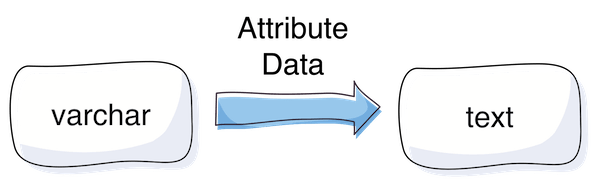
    In some cases there is a need to change the backend type of a catalog product attribute from varchar to text. The purpose of this change is to get more than 255 characters space for a string value.

    In this article I will cover the situation when problems occur after changing the backend type of an attribute.

    The Problem

    If the backend type of an attribute is changed, e.g. via install/upgrade script, Magento does not automatically copy and clean up old values. The consequence of that is that there are rudiments in the EAV value tables which cause some side effects. One of the side effects I was facing is editing a product which had a value for the affected attribute before the backend type change (in admin area). No values are displayed and there is no possibility to set a new value.

    So what to do if the change already happened and there is a mix between old value table rudiments and new value table entries?

    The Solution

    One possible solution to solve the issue are the following SQL Statements, here is an example for changing from varchar to text (you need to find out the id of the attribute from the eav_attribute table – here {attribute_id}):

    1. Copy the “value” from varchar table to text table for the case an entry for a product entity exists in both tables, but only if the “value” in the text table is null:

    UPDATE catalog_product_entity_varchar, catalog_product_entity_text 
    SET catalog_product_entity_text.value = catalog_product_entity_varchar.value 
    WHERE catalog_product_entity_varchar.attribute_id = catalog_product_entity_text.attribute_id 
    AND catalog_product_entity_varchar.entity_id = catalog_product_entity_text.entity_id 
    AND catalog_product_entity_text.store_id = catalog_product_entity_varchar.store_id 
    AND catalog_product_entity_text.entity_type_id = catalog_product_entity_varchar.entity_type_id 
    AND catalog_product_entity_text.value is null
    AND catalog_product_entity_varchar.attribute_id = {attribute_id};

     2. Copy entries which do not exist in text value table, but exist in the varchar table

    INSERT IGNORE INTO catalog_product_entity_text 
    (entity_type_id, store_id, attribute_id, entity_id, value)
    select entity_type_id, store_id, attribute_id, entity_id, value 
    from catalog_product_entity_varchar 
    where catalog_product_entity_varchar.attribute_id = {attribute_id} 
    and catalog_product_entity_varchar.value is not null;

    3. Delete entries from the varchar table

    DELETE FROM catalog_product_entity_varchar where attribute_id = {attribute_id};

    Important note

    Please verify the SQL, whether it is suitable for your purpose. Best practice is also to test it in a local / staging system and to back up the live database before applying the SQL on production. The solution is not perfect: I myself faced the issue, that the enterprise indexer cronjob took about 4h after applying the SQL, which blocked other cronjobs to be executed (about 50K products in DB). Possible way to avoid this is to separate “malways” (enterprise indexer) and “mdefault” cronjobs.

    I hope this  can be helpful. Feel free to comment if you faced this issue too or if you have any additions or a better solution.

  • Solving a 2006 MySQL error connection timeout in Magento1

    Solving a 2006 MySQL error connection timeout in Magento1

    In my recent task I was testing a web crawler script which uses Magento database information for the crawling requests. I have encountered the following error:

    Fatal error: Uncaught exception ‘PDOException’ with message ‘SQLSTATE[HY000]: General error: 2006 MySQL server has gone away’ in lib/Zend/Db/Statement/Pdo.php:228

    The Problem

    This error occured after around 45 minutes of script runtime.
    The script was written in a way that it was possible that there is no database interaction for a longer period.
    In consequence to that when the script reached a point where it was trying to save or fetch something from the database, the mysql connection ran into a timeout – unnoticed by the script.
    Thus resulting in the above mentioned MySQL error.

    mysql wait_timeout

    The variable controlling this timeout from MySQL is the wait_timeout system variable.

    Definition from MySQL Reference Manual :

    “The number of seconds the server waits for activity on a non-interactive connection before closing it.”

    As it turns out we have already had this situation in another project – thanks to the netz98 developers for the hint.

    The Solution

    The solution is to close the connection before using it – in case of long running and un-interrupted code part that does no database communication.

    We have added the following code snippet to our ResourceModel:

    /**
     * Initialize the ReadAdapter (force a re-connect)
     *
     * @param bool $useNewConnection
     * @return Varien_Db_Adapter_Pdo_Mysql
     */
    protected function _initReadAdapter($useNewConnection = false)
    {
        /** @var Varien_Db_Adapter_Pdo_Mysql $adapter */
        $adapter = $this->_getReadAdapter();
    
        /**
         * In some occasions we want to use a fresh connection to fetch table data
         * when crawling takes longer (between queries) than the configured mysql wait_timeout
         *
         */
        if ($useNewConnection === true) {
            $adapter->closeConnection();
        }
        return $adapter;
    }

    With this method the Connection within the Adapter can be closed. When it is closed the connection will be re-initialized automatically with the next Database Interaction that is triggered by our code. To do so we introduced the parameter $useNewConncetion which enforces this behaviour.

    Each time we have reached a point in our script where it could be possible that the connection hit the wait_timeout we just call this method with useNewConnection set to true.

    I hope this article is helpful for you, in case you face the same situation. Feel free to comment if you faced this issue too or if you have any additions.

    Update: Keep alive implementation by Ivan Chepurnyi (@IvanChepurnyi)

        /**
         * Zend db adapter validation, in order to get rid of possible server gone away
         *
         * @param Zend_Db_Adapter_Abstract $adapter
         * @return bool
         */
        protected function _validateConnection(Zend_Db_Adapter_Abstract $adapter)
        {
            try {
                // Execute simple non heavy query
                return $adapter->fetchOne('SELECT 1') === '1';
            } catch (Zend_Db_Statement_Exception $e) {
                $adapter->closeConnection();
            }
    
            return $adapter->getConnection() !== null;
        }