Tag: composer

  • How to avoid security issues in Composer dependencies

    Composer is a great tool for requiring third party modules and software packages for your project. It’s an essential part of the current Magento 2 project structure.

    Because of the possibility to add more and more modules it is also getting more and more difficult to keep track of relevant security updates. That is especially the case when required modules have further requirements.

    Here are 3 tips how to improve your project’s security

    1. Subscription of third party repositories (when using sticky version numbers)

    If the applied module is published on Github you can subscribe to the repository. Github then informs you via email about changes of the code. If the email contains relevant information regarding security issues, the version of the required module can be increased in your project‘s composer.json file. For updating you just have to type:

    composer update vendor/module
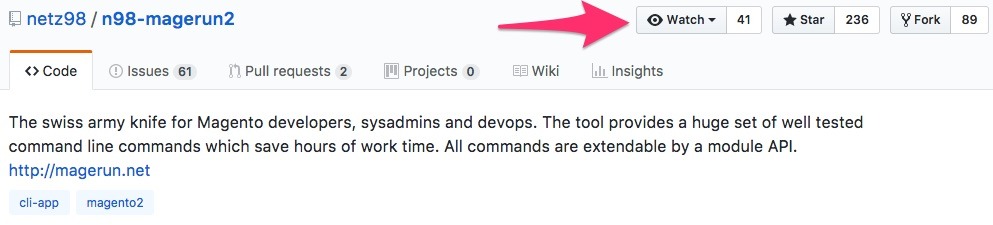
    Subscribing @ Github

    2. Avoid static version numbers

    Compared to option 1 it would be much more safe to manage the applied parts and the own project via semantic versioning. In those cases you can define the dependencies as follows:

    composer require vendor/module=~3.1

    In this specific case you would get all versions between 3.1.0 and 3.2.0 by executing a “composer update”. If the vendor fixes the module, he just increases the version number at the third position and the new code will be applied and implemented with the next update.

    If the vendor implements a new feature however, he increases the major or minor version, e.g. 3.2.x or 4.0.x. The code will only be applied by a manual action of a developer. Reviewing the code before committing the new version would be highly recommended.

    3. Use SensioLabs Scanner

    While option 2 is already a very cool and flexible solution, the developers of the vendors of the applied modules still need to be informed about the security issues and they need to fix them. But the moment they release a new version might be too late. As a developer, you definitely want to know about issues immediately, to disable or replace the dangerous module.

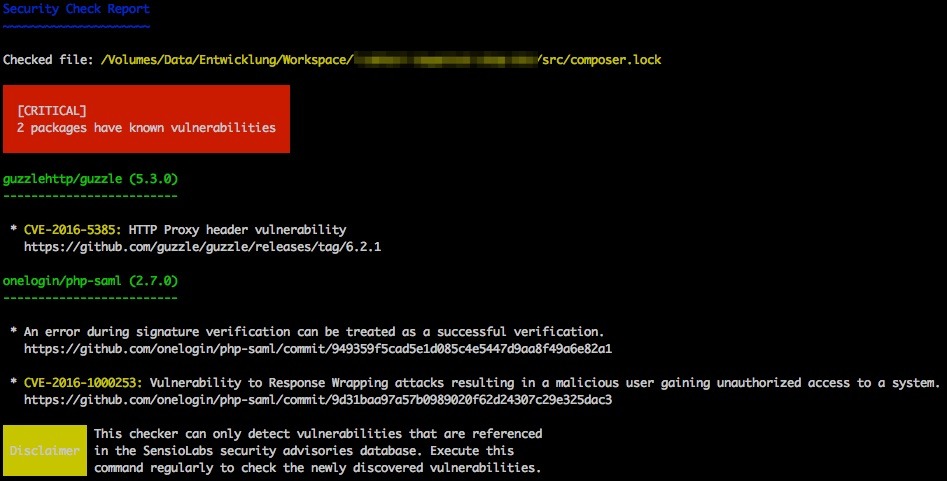
    SensioLabs – creator of the Symfony framework – created a database containing known security issues of several packages (Magento, Shopware, Zend Framework etc.) and they allow you to get these information via an api or a cli client. These tools scan a given composer.lock file. For every current commit or tag they check for an entry inside the database. After processing the file you get a list of findings if there were any.
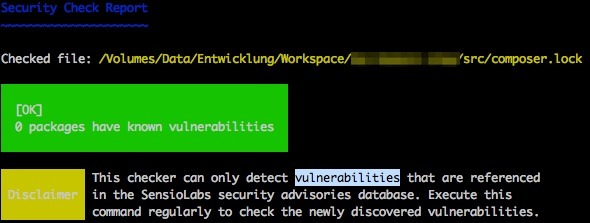
    Security Check: Success

    Security Check: Error

    The client can be easily installed via Composer.

    composer require sensiolabs/security-checker

    Depending on your project and your required Symfony dependencies you might need to use a specific version of the tool.

    To run it, all you have to type is:

    vendor/bin/security-checker security:check

    By today there’s only one entry for Magento 2 in this database:


    Links

  • Deploying Magento2 – History & Overview [1/4]

    Quite recently we have updated the deployment of our Magento2 projects to a more flexible and reusable way.
    Originally I wanted to create one post to present you our deployment setup, the systems involved, the workflow & process and some code that might be interesting.
    While describing this subject I decided to create a series of posts to cover those parts as it was just getting to extensive for one post.

    I am planing to cover the following topics in separate posts:


    Then let’s get started with a brief introduction of our former setup for Magento1 and Magento2. You might have a similar solution to this one.

    History Magento 1

    When we were starting with our first Magento 2 project in June 2016, we ported the workflow we had established for our Magento 1 projects.

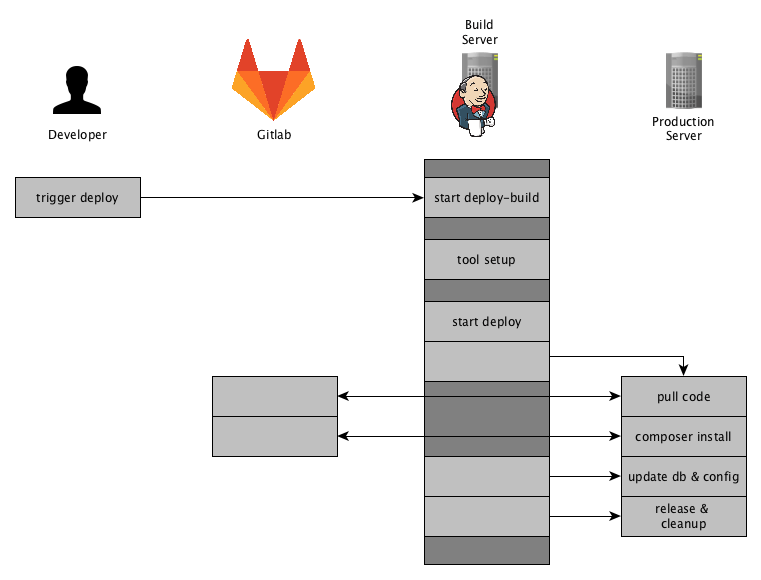
    Our Magento 1 projects are deployed using capistrano and are using a pull approach, where the server fetches the Magento source-code and the composer dependencies using git and composer.
    This approach has some draw backs as we have to have tools installed (git, composer) and we needed a transfer channel back to our gitlab server.

    First Magento 2 Deployment

    At first, we followed the same approach with the Magento 2 projects.
    We applied some minor adjustments to the process, as Magento 2 has some requirement in terms of pre-compilation.


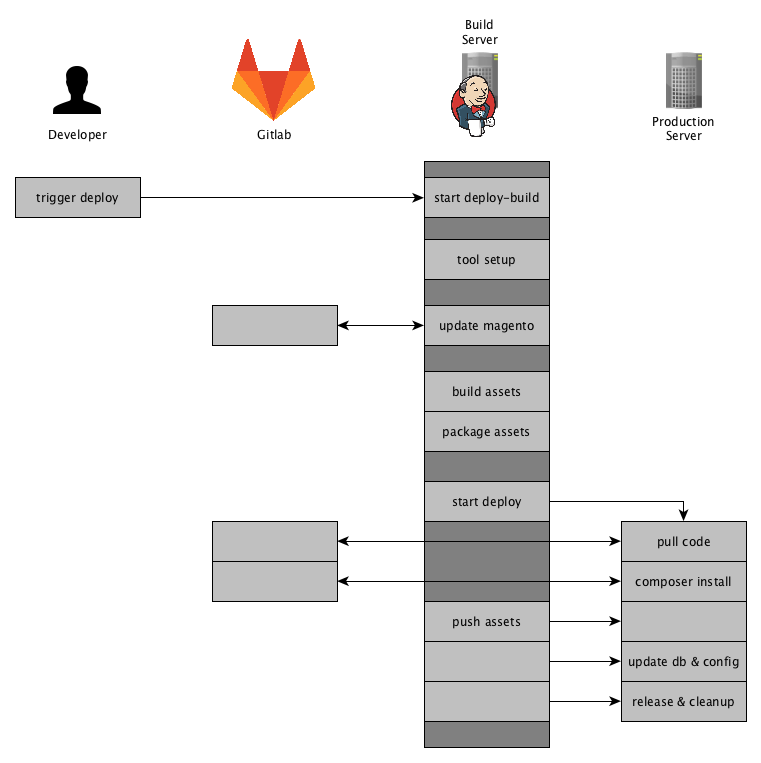
    The solution was to generate the static assets and the di on the build server and pushing that to the production server during the deployment.
    You should not generate those assets on the production server. The actions performed on the production server should be kept to a minimum, to keep the load down and when thinking about a setup with multiple nodes it just does not seem right to this kind of task on each server.
    We ended up with a mixture of a PULL and PUSH deployment, the source-code being pulled by git / composer and the assets being pushed.
    We still had the drawbacks from our Magento 1 deployment, as we basically just extended that to fit the needs of the Magento 2 compilation.

    Current Magento 2 Deployment

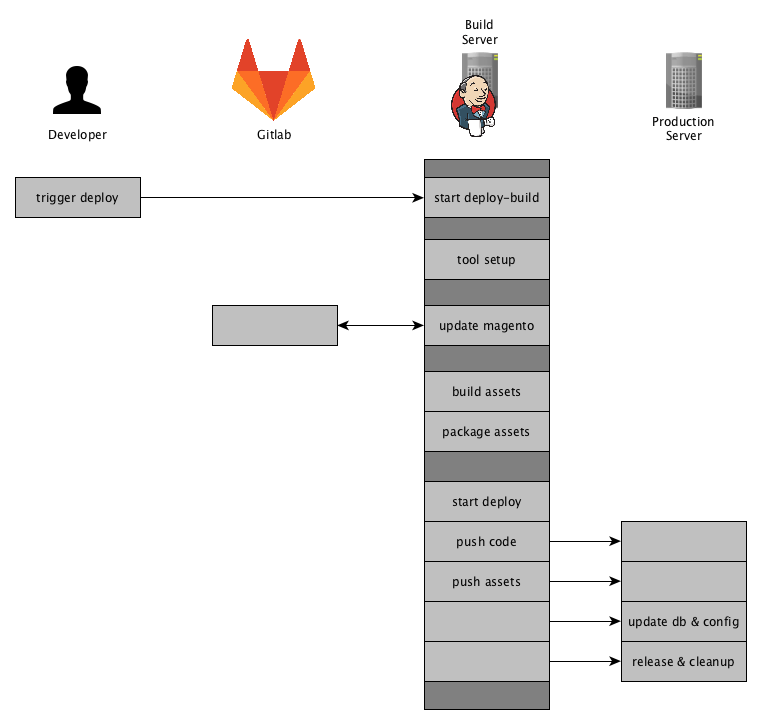
    Our goal was to create a pure PUSH deployment where the production server does not need direct access to our git repositories.

    So here is an Overview of how our current deployment for Magento 2 projects works:

    Jenkins will fetch the source-code using git and composer and update its Magento 2 instance database. It will then generate & package the assets and finally pushes the code and the assests to production server.
    To achieve those steps we have setup a Jenkins Pipeline that we will have a look at next.

    Summary

    This setup comes in handy when any callback (e.g. PULL) is prohibited by a firewall.
    Or even a more restrictive environment where a VPN-Tunnel is to be opened which prevents any other network connections to other system except the server.
    We were faced with that kind of situations recently, but with using the above mentioned approach we had little effort in terms of adjusting our deployment.

    Furthermore following this approach we are flexible where we push to and it is easy to extend and reusable.
    In the post “Future Prospect (cloud deployment, artifacts)” we will shed some light on our future plans on how to extend that deployment for different hosting environments.

    This was a brief overview of how we got to our current Magento2 Deployment and how it works in general.
    The next posts will be about the tool-stack we use and we will share some insights with code samples.

    If you have any feedback or questions, as always, feel free to leave a comment or contact us directly.